
Ping pong scorer app

Project details
Despite its maturity, Grio maintains its startup spirit by hosting weekly in-house ping pong games and participating in larger tournaments across the Bay Area. Ping pong is not just a game at Grio; it’s a serious yet enjoyable activity that fosters camaraderie and team spirit.
The objective of this project was to design a fun and colorful tool to facilitate keeping score during ping pong matches and track overall games won. The tool was envisioned as a mobile app that would integrate seamlessly into Grio’s ping pong culture. In addition to basic scorekeeping functionality, the app would include features such as sharing options, Apple AirPlay compatibility, and the ability to access the user’s phone images and camera, adding an extra layer of engagement and entertainment to the ping pong experience.
My role was to conduct the research, design, and testing for the “Create New Match” flow, a challenge I was happy to take on. I ensured that the app was intuitive and engaging, enhancing the overall experience for all users involved.
The project timeline spanned from 2015 to 2016, during which extensive user research, iterative design, and development cycles were conducted to ensure the app met both the functional and experiential needs of its users.
My Process

Market Research
I conducted market research on apps like Remote Scoreboard – Table Tennis and Ping Pong Score Keeper to understand existing solutions and identify gaps that our app could fill. This research provided valuable insights into user preferences and features that enhance the ping pong experience, ensuring our app would be both competitive and innovative.

Key takeaways: A simple, easy-to-use remote-control scoreboard for table tennis matches!
- Use the iPad’s display as a scoreboard with big names and numbers
- Edit names, scoring, and “win by 2” rules
- Set counts, timeout, and serve indicators! Just tap to change
- Connect an iPhone or iPod touch to the iPad as a remote and increment, decrement, and reset scores from a distance
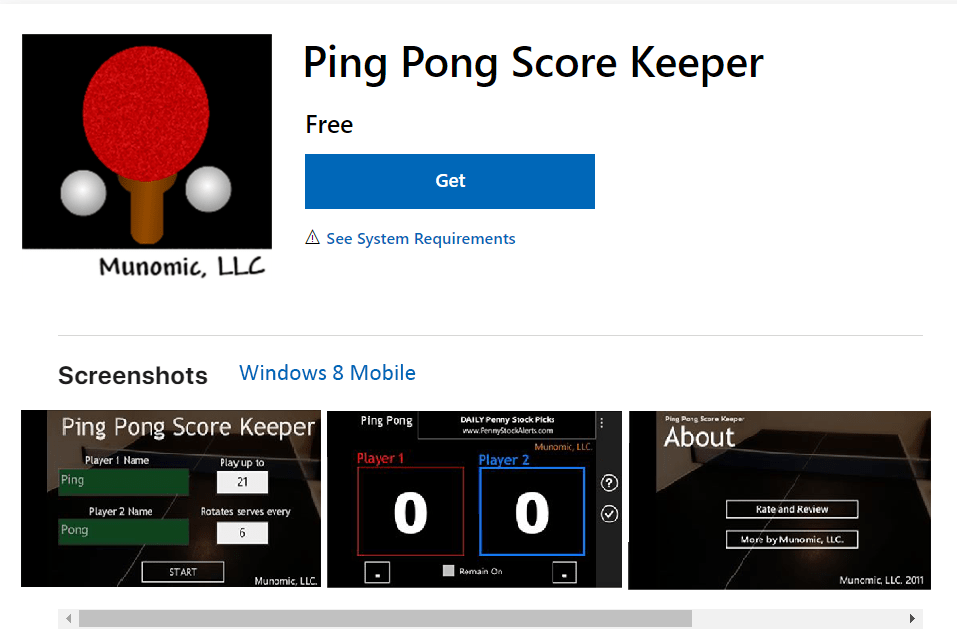
Key takeaways: A basic design functional to a point.
- Tracks your ping pong score
- Edit names, scoring, and “win by 2” rules
- Remain On” functionality to keep your scoreboard showing for the full game.
Field Research

To ensure the app accurately reflected the culture and practices of office ping pong, I researched the official and informal rules commonly followed in workplace environments. This involved reviewing standard table tennis rules and consulting with colleagues who regularly participated in ping pong activities across the Bay Area.
Additionally, I observed several in-house matches and gathered feedback on specific house rules and preferences, ensuring the app would be tailored to the unique dynamics of the Bay Area’s ping pong community.
User personas
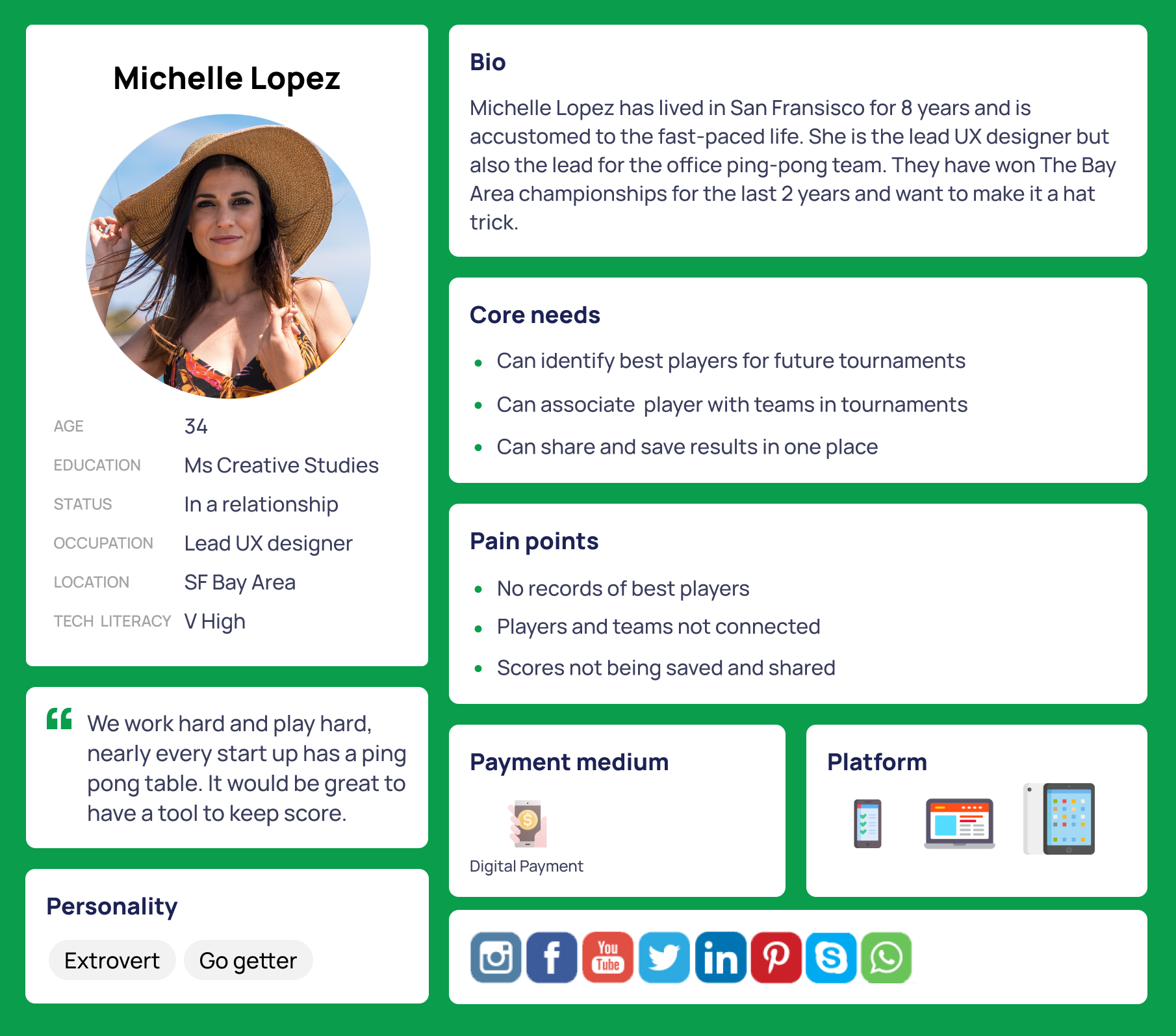
I created user personas to gain a deeper understanding of our target audience, ensuring the app’s design and functionality would meet their specific needs and preferences.

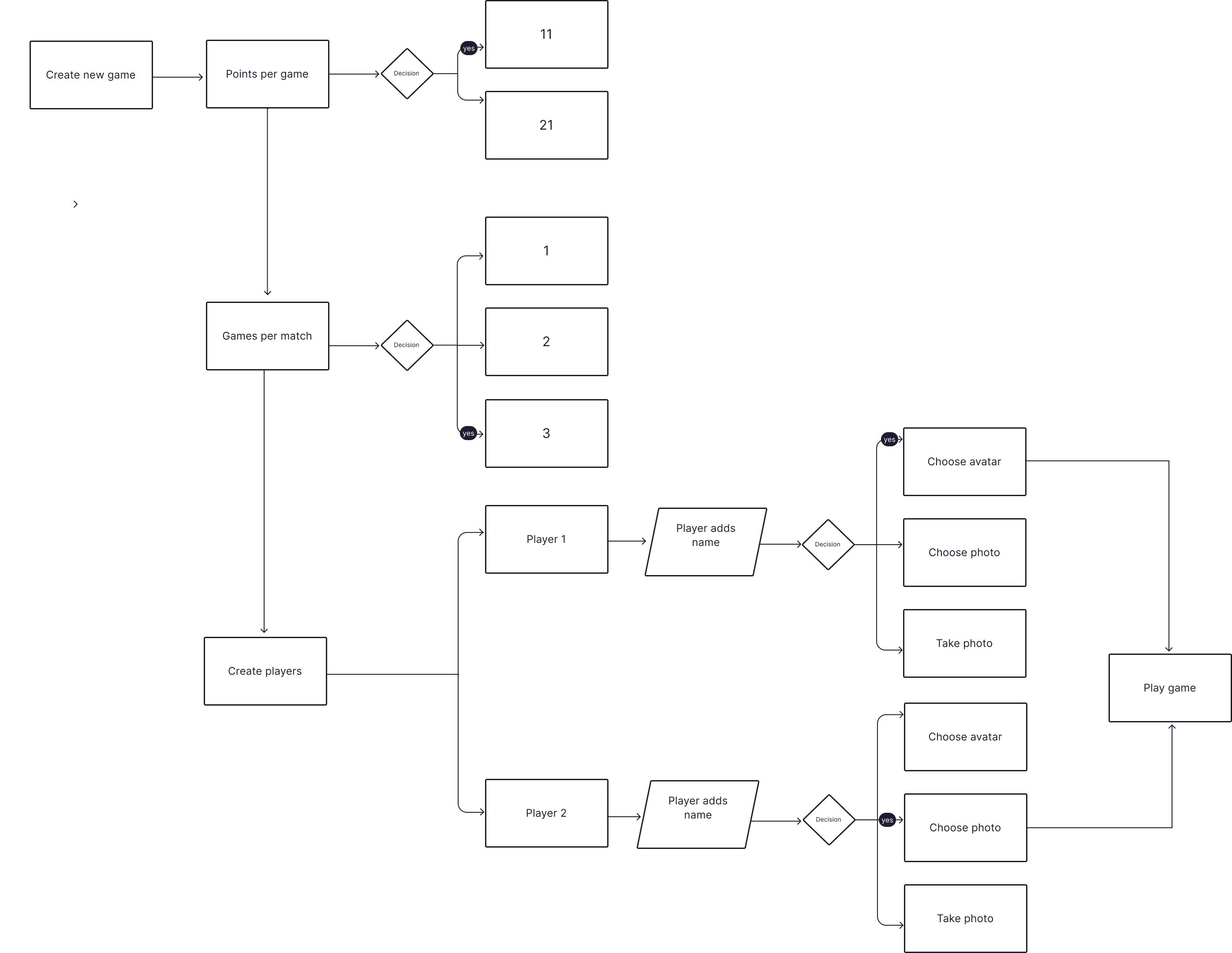
User Flow Diagram: Setting up a match
The User Flow Diagram for setting up a match illustrates the sequence of steps a user follows within the app, from starting on the splash screen to initiating the game. It begins with creating a new game, where users select the points per game (11 or 21) and the number of games per match (1, 2, or 3). Next, users proceed to create player profiles, which includes adding player names and choosing or taking a photo for avatars. This detailed flow ensures an intuitive setup process, enhancing user experience by providing clear, step-by-step guidance.
Lo-fi wireframe testing
Objective:
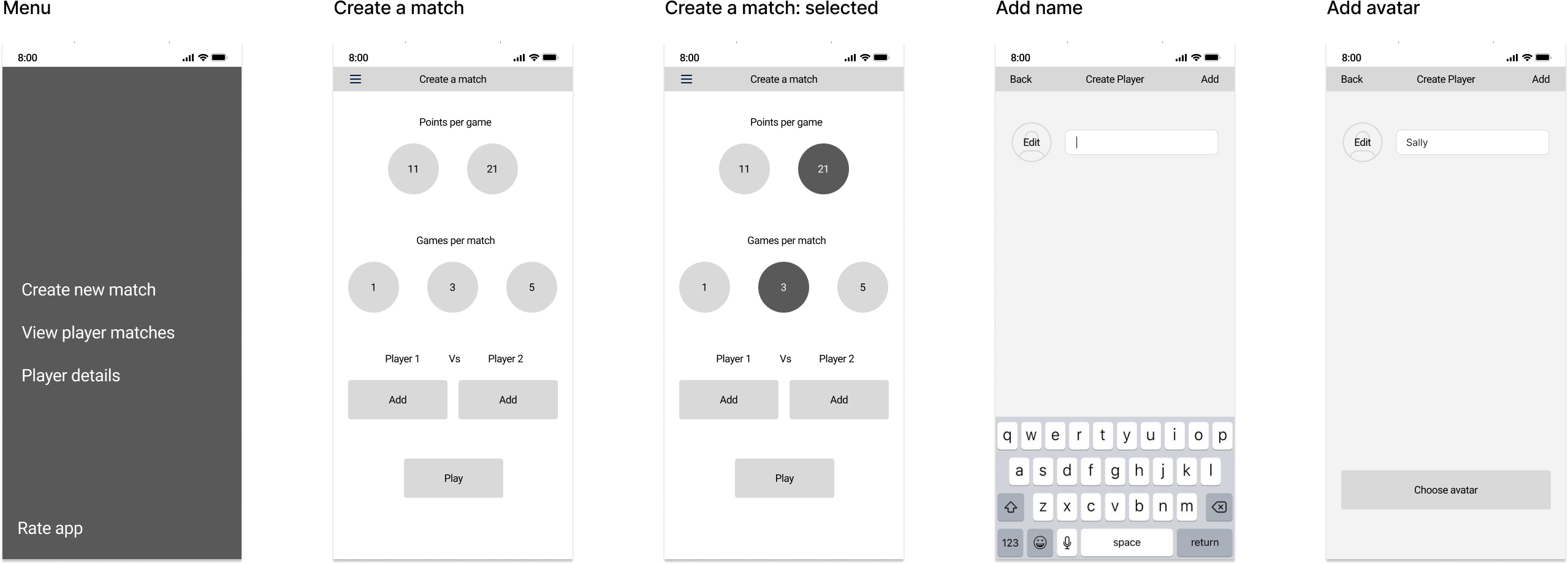
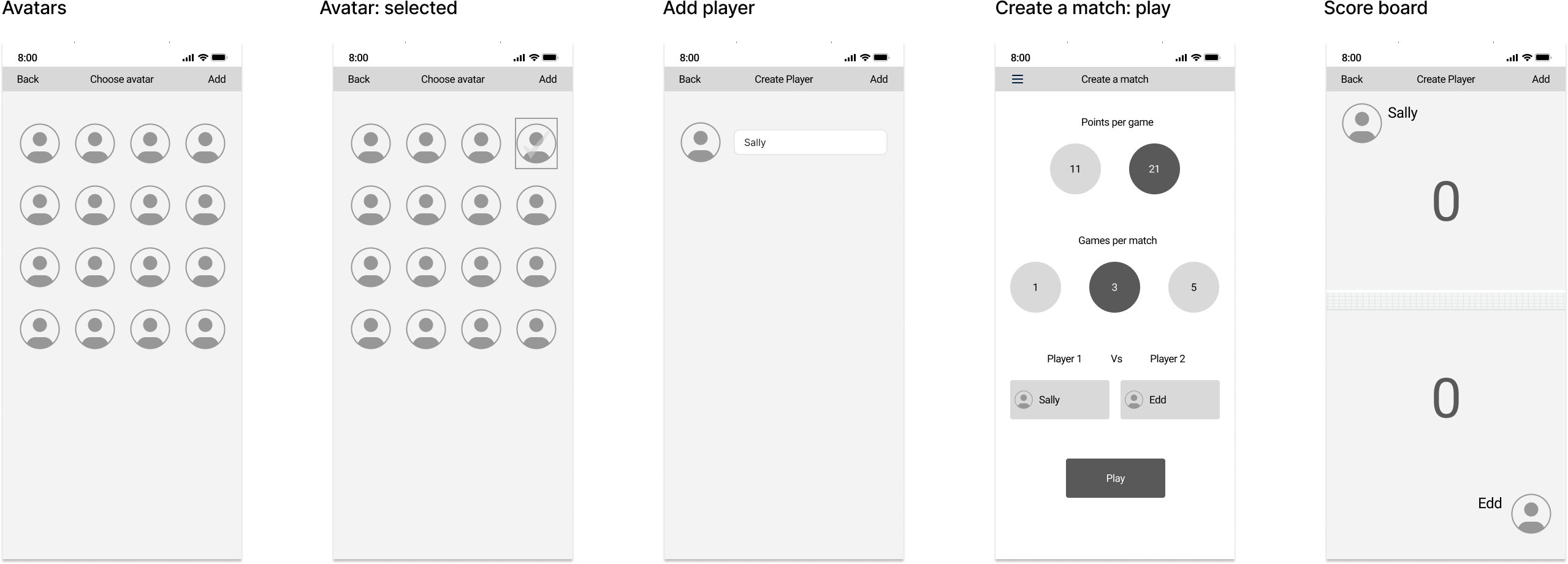
The objective of the lo-fi wireframe testing was to evaluate the usability and functionality of a new app designed for managing ping pong matches. This included testing the menu options for creating and managing matches, entering player details, and tracking scores. The goal was to ensure that the app provided a user-friendly experience and that all features, such as adding players and keeping score, were intuitive and effective.
Outcome
Initially, I organized a usability testing session with five colleagues who regularly participate in our office ping pong games. During these sessions, users were asked to perform tasks such as setting up a new match, adding players, and keeping score during a game.
Feedback from these sessions highlighted some areas for improvement, such as simplifying the avatar selection process and making the navigation more intuitive. Based on this feedback, I made design adjustments for the high-fidelity testing.
High-fidelity wireframe testing
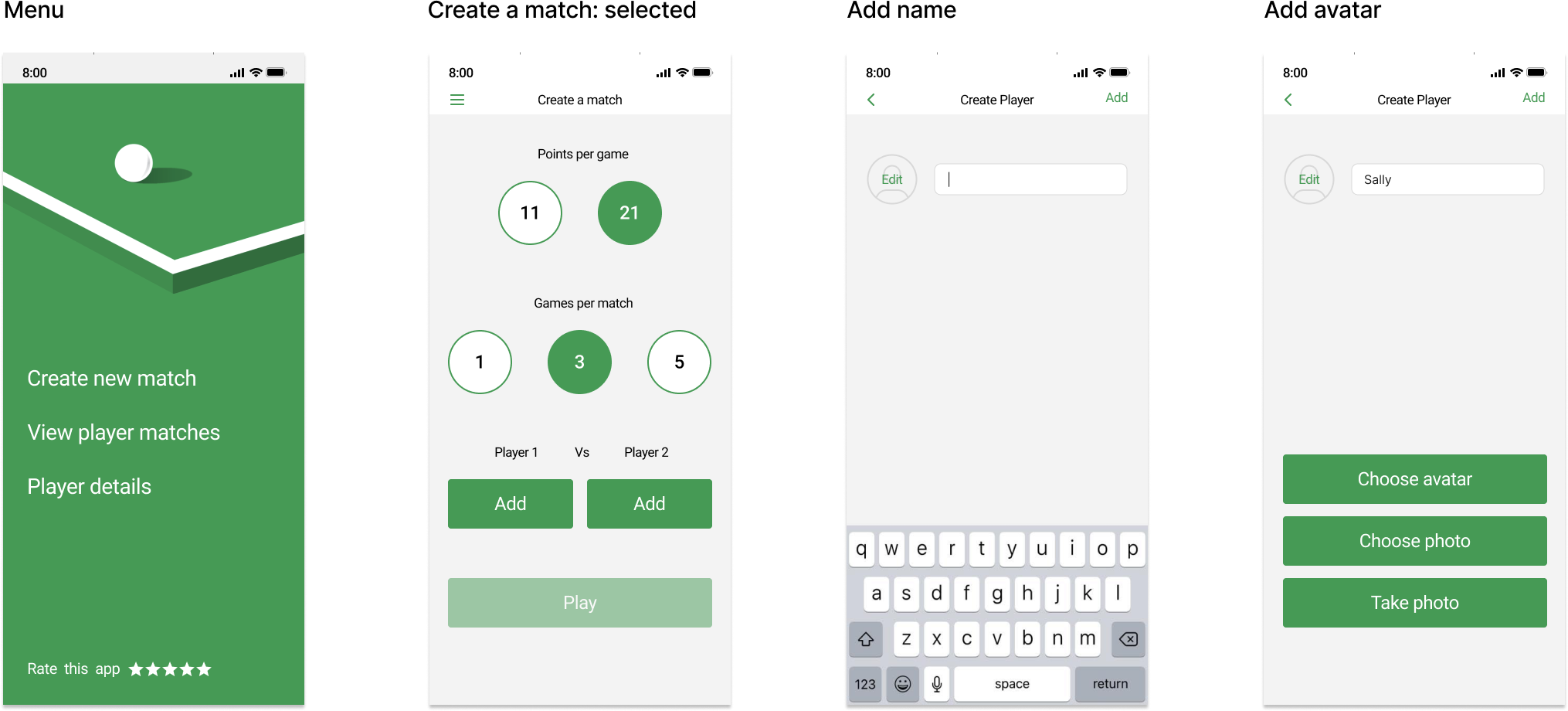
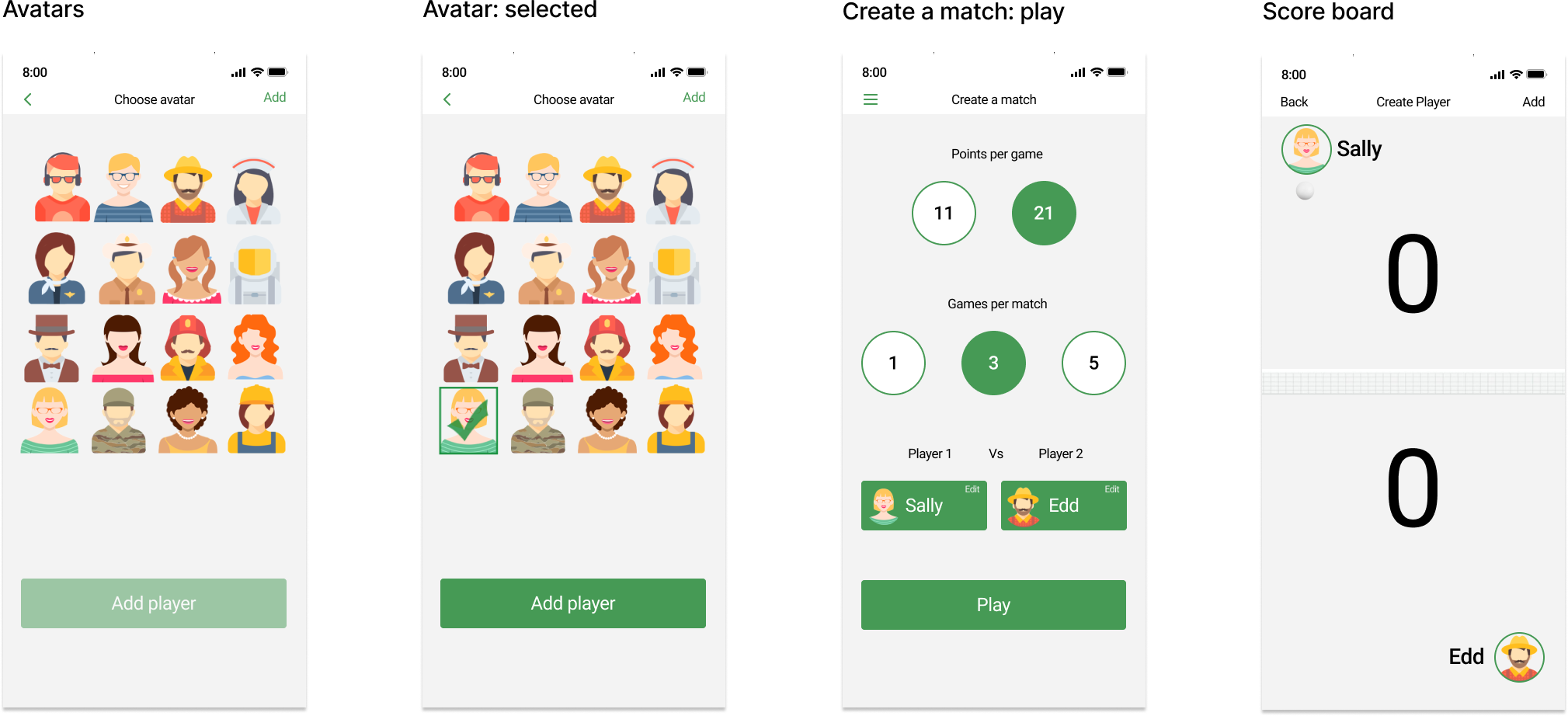
The high-fidelity wireframes feature a clean, modern design with intuitive navigation. Elements like player avatars and clear, bold text ensure that users can easily identify their selections and follow the match progress. The use of green as a primary color throughout the app maintains visual consistency and aligns with the theme of ping pong.
The app allows users to create new matches, view player match histories, and manage player details with added functionalities such as choosing avatars and taking photos and also share the results with others.
Usability Testing:
- Objective: Assess the ease of navigation and intuitiveness of the interface.
- Method: Participants were asked to perform tasks such as creating a new match, selecting points per game, and adding players.
- Feedback: Users appreciated the clear layout but suggested enhancements like larger buttons for easier tap targets and more visually distinctive player avatars.
A/B Testing:
- Objective: Compare different design elements and their impact on user engagement.
- Method: Two versions of key screens were shown to different user groups to determine preferences for button placements, color schemes, and avatar styles.
- Results: The green color scheme and larger, more colorful avatars were overwhelmingly preferred, leading to their inclusion in the final design.
Insights: Users liked the straightforward design and functionality but requested the ability to save and view past match statistics more easily, which was then integrated into the final app.
The Solution
The ping pong scorer app significantly streamlines the management and tracking of matches in tournaments, ensuring accurate and efficient scorekeeping. By providing players and organizers with a user-friendly interface for setting up matches, tracking scores, and maintaining player records, the app enhances the overall organization and transparency of tournaments. This digital solution reduces administrative burden and minimizes errors, ultimately contributing to a smoother and more enjoyable tournament experience for participants and spectators alike.
 Elizabeth Doran